


These email sorting prompts are starting points, not tested accuracy claims. All names, addresses and references below are fictional. Replace them with approved identifiers and test both matches and exclusions. The model sees message fields, not an automatic record of your contacts, subscriptions or purchases.
Ten prompts to adapt
1. Invoices
Purchase invoices and payment reminders explicitly naming Vendor Alpha. Exclude product offers and newsletters.
Check a real invoice against an offer that merely mentions an invoice.
2. Unsolicited sales
Sales pitches offering SEO services, advertising or contact lists. Exclude messages containing our listed support-ticket references.
Check a cold pitch against a reply to an existing ticket.
3. Order confirmations
Order confirmations or dispatch notices containing order reference ORDER-42. Exclude promotions without that reference.
A discount offer is not an order confirmation.
4. Travel
Booking confirmations or itinerary changes containing booking reference TRIP-42. Exclude destination advertising.
Test an itinerary change and a travel newsletter.
5. Account alerts
Login, password-change or security notifications explicitly naming Account Alpha. Exclude feature announcements.
Keep these visible for review; a category does not prove authenticity.
6. Selected newsletters
Regular editorial newsletters from the explicitly listed Publisher Alpha addresses. Exclude invoices and account alerts.
The same publisher may send multiple message types.
7. Named personal contacts
Personal correspondence from the listed addresses [email protected] and [email protected]. Exclude automated bulk messages.
The model does not automatically have your address book.
8. One project
Messages containing ATLAS-42 about delivery, approval or requested changes. Exclude unrelated offers.
A message naming ATLAS-43 should not qualify.
9. Support requests
Messages with SUPPORT-42 asking for help with installation or an existing problem. Exclude pitches selling support services.
The word “support” alone is not enough.
10. Bulk promotions
Promotional announcements advertising discounts or product launches. Exclude receipts, invoices and account-security messages.
Start with a review folder rather than deletion.
Configure the action separately
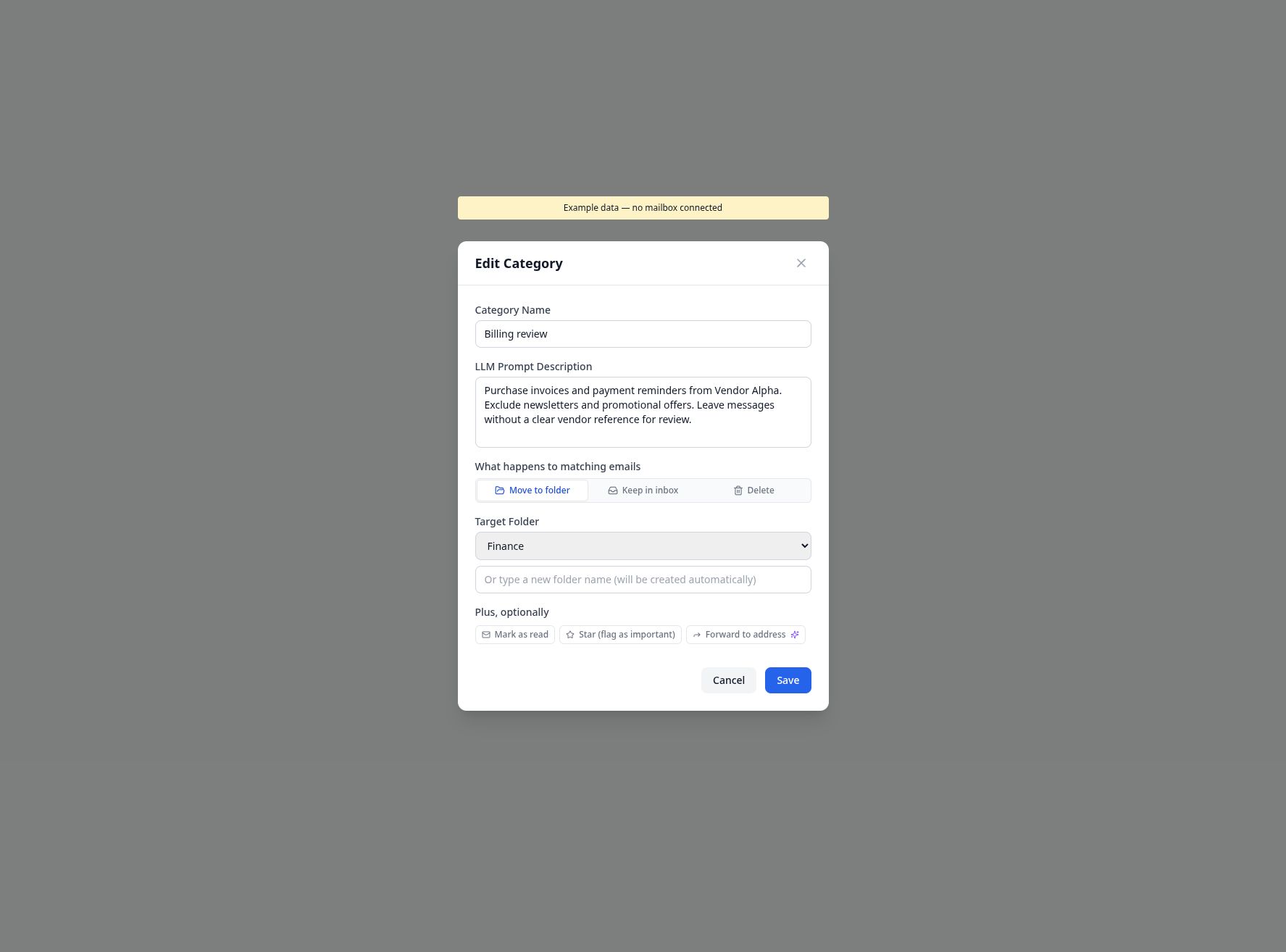
Actual application component rendered with fictional data; no mailbox connected and no classification performed in this screenshot.
A category description controls what should match. The action fields control what happens next. Writing “keep for review” in a prompt does not create a review workflow by itself. Start with a folder move or Keep in inbox, and ensure excluded or unmatched messages remain available.
Review before scheduling
Write down the expected category for each positive, negative and ambiguous case. Run a dry preview, compare the original messages and inspect wrong assignments as well as missed matches. If two categories overlap, make the boundaries explicit; the classifier selects one category or none.
The sender cache can reuse eligible assignments and has permissive subject fallbacks. For messages from a mixed-purpose address, review that behavior and inspect existing saved assignments separately. Permanent deletion cannot be undone in History; forwarding with a summary also sends the original message.
See multi-action rules, sender categories and History and Undo.