
Sample Office Supplies
The invoice for your office chair
Thank you for your order. Your invoice for CHF 249 is attached.
AI email filtering for Gmail, Fastmail and IMAP: describe your categories, review the results and keep reading in your familiar email client.
200 free classifications · No credit card
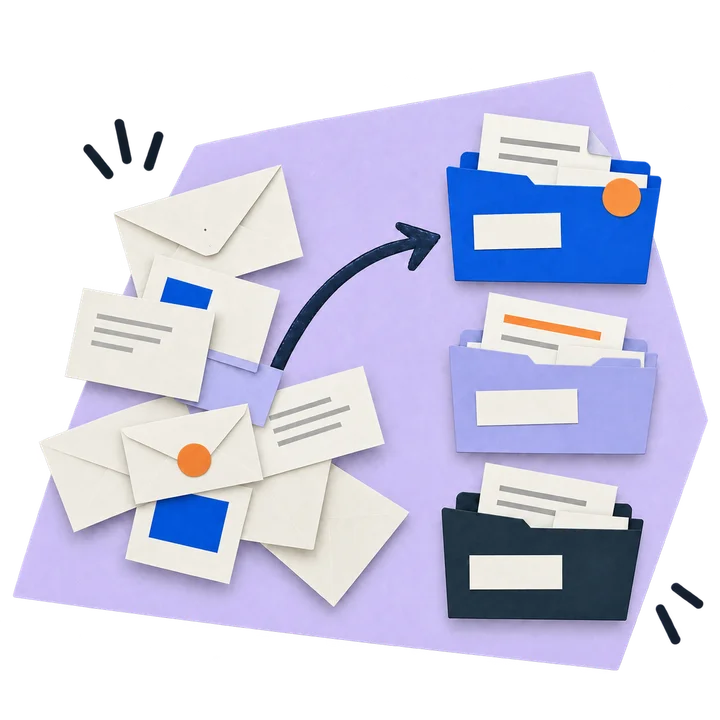

Connect Gmail or an IMAP mailbox with supported credentials. Mailbox credentials are encrypted at rest.

Write rules in plain language: "Invoices from suppliers", "Newsletters I never read". No filter syntax.

Test your categories on a few emails. You decide when to turn on automatic sorting.
A little look inside
Describe what should happen. Watch emails get filed, unwanted ads collected and updates summarized for your team.
New filter
Thank you for your order. Your invoice for CHF 249 is attached.
New filter
More customers without the effort? Get our exclusive contact list at a special price today.
Action for provider updates
New team exports launch on November 12. Your current plan stays unchanged. This update explains all the changes and walks you through the setup.
Filed in “Invoices”. Ready to find in your usual email app.
Animated demo with fictional emails and example workflows.
Well sorted. Well considered.
A pragmatic toolkit, not a magic black box.

Reuse saved sender categories for future messages. Review and correct each sender’s category when needed.

Review and reverse recorded folder moves while the message remains accessible.

Move, flag, mark-read and forward — chain several actions inside a single category.

Add an optional AI summary when forwarding newsletters or vendor mail. The original email is also attached.

See volume, top senders and category breakdown at a glance — know where your time goes.

Connect a mailbox, choose a preset and adjust the category prompts for your workflow.
Pricing, kept simple.
Get to know the tool with 200 classifications. Then keep sorting without limits on a subscription.
Your subscription
or $60/year (save 17%)
2 mailboxes included
Start with 200 free emailsNo credit card required
Process as many emails as you need
OpenAI, Ollama, or any endpoint
Gmail, Fastmail, any IMAP
2 included, +$2.50/month each extra
The 200 free emails are a one-time trial to test the service. Subscribe anytime to continue with unlimited processing.
Before you get started
Common questions about AI-powered email filtering
AI email filtering uses Large Language Models (LLMs) to automatically sort and organize your emails based on context and meaning rather than simple keyword matching. You create custom email filters using natural language descriptions like "urgent client requests" or "newsletter subscriptions," and the AI intelligently categorizes incoming emails by understanding their content, sender, and intent.
The hosted service accesses your connected mailbox to classify messages and perform actions. AI classification can send the sender, subject and a body preview to the configured language model. History keeps message metadata and action details for review and undo. Choosing your own LLM controls where model requests go; the hosted service still processes mail on our server.
Gmail, Google Workspace, Fastmail, Yahoo, Mailcow and other providers with IMAP enabled and supported credentials. Gmail/Workspace may require an app password, depending on account settings. Proton Mail requires a local Bridge and is not an ordinary cloud IMAP connection. Check the connection options currently available in the app.
You can configure an OpenAI-compatible endpoint, including Ollama, at an address the service can reach. Your configuration determines which model provider receives requests. To keep application and model processing within your own infrastructure, both must run there.
History shows completed actions. Recorded folder moves can be reversed while the message and its original folder remain accessible. Deletions are not automatically undone, and forwarded copies cannot be recalled.
The 200 emails are a one-time trial. After that you can subscribe for $6/month for unlimited processing. No emails are deleted — the system simply pauses classification until you upgrade.
Accuracy depends on your category prompts and the model you choose. Saved sender categories can be reused when applicable, and you can correct them. Review results on your own mailbox before enabling automatic actions.
We're here to help. For any questions, technical issues, or support requests, please email us at [email protected]. We typically respond within 24 hours.
[email protected]Notes for your inbox
Recent insights and articles

Filter unwanted AI-generated advertising emails with clear categories and a review folder. Compare native rules, security controls and AI limits.

Ten category prompts for invoices, projects and advertising, with exclusion cases and a real editor screenshot using fictional data.

Connect a supported IMAP account, verify the provider’s authentication requirements and test sorting without changing your mail host.
A closer look
An AI email organizer for the way you work. Describe your categories, review proposed moves and keep reading in your familiar email client.
“Invoices and payment reminders, excluding promotions.” Start with one category, choose its folder and check a small sample before applying moves.
See category examples
A known sender often needs only a simple rule. Try AI when the meaning matters — for example, when one address sends both invoices and offers.
Compare rules and AI Check the proposed category and action before applying them. History helps you inspect results and reverse supported folder moves while the message remains accessible.
How review and recovery workClassification sends message fields to the configured model endpoint. Check your model settings before processing sensitive mail. Model and privacy settings ↗
Your inbox. Your rules.
Start with one category. Review the results. Find your own order.
200 free classifications · No credit card
Got questions, feedback, or just want to say hi? I'd love to hear from you!
[email protected]