


Email management software for small businesses can mean several things: sorting a personal inbox, collaborating on a shared mailbox or tracking customer cases. Choose the workflow you need before choosing a product.
Separate sorting from team responsibility
| Your problem | Capability to evaluate |
|---|---|
| Messages scattered across client folders | Explicit sender or project rules; category-based sorting |
| Two colleagues reply to the same request | Shared ownership and visible assignment |
| Customer history must be tracked | CRM or ticket history suited to the business |
| Sensitive messages reach the wrong recipient | Access permissions and a documented data flow |
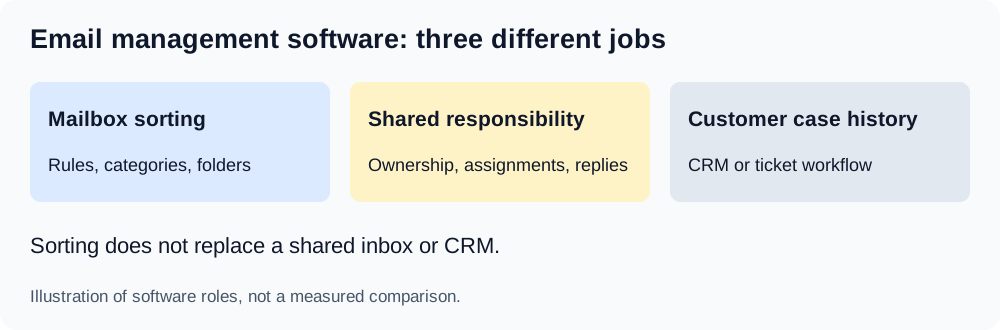
Illustration of software roles, not a measured comparison.
AI Email Filter focuses on classifying messages and applying configured actions in a mailbox. It is not a substitute for documented ticket ownership, a customer database or an approval process. If avoiding duplicate replies is your main problem, evaluate those collaboration capabilities directly.
Make client and project routing observable
Use fictional clients in your initial test. For example: “Messages from the listed Acme contacts containing project reference ACME-42 and discussing delivery or approval. Exclude general vendor newsletters and unrelated sales offers.” Replace the references and addresses with approved identifiers before using real mail.
The model does not automatically know your contracts or customers. Sender, subject and a body preview may not include the project identifier, especially when it only appears in an attachment. Keep those cases available for manual review rather than inventing a category based on assumed history.
An exact native rule can be appropriate if every project message carries a reliable reference. A model-based category may help when the wording varies. Keep conditions and exclusions simple enough to explain to a colleague.
Evaluate email management software with a review set
Prepare a request for ACME-42, a message about ACME-43 from the same sender, a supplier newsletter and a message with no project reference. Before previewing, note the expected folder and who will review the message. These are proposed cases, not a completed accuracy test.
Check both wrong assignments and messages left unmatched. Apply a small inspected batch using moves to IMAP folders that the team can access. A preview shows proposed actions; it does not prove that a move was applied or that a colleague has replied.
Keep responsibilities outside the sorting prompt
Agree who checks the review folder, who handles time-sensitive requests and how an unanswered message is escalated. Do not treat a folder named “Urgent” as a service-level guarantee. Keep a daily review of unclear messages while introducing automation.
Check privacy and recovery before rollout
The application processes email information even if messages stay at your mail host. A custom model may have a configured default-provider fallback. Forwarding with a summary also attaches the original message, so verify recipient authorization.
History can undo supported moves while messages remain accessible; it does not undo permanent deletion or recall a forward. See the client/project workflow, organization guide and History and Undo. Measure your own review effort instead of relying on promised hours saved.